How to Create a Simple Email Template for Quick Replies in Outlook
Step-by-step instructions
**Step 1:**In your Outlook, select the message you want to reply to. You can open it either in a separate window or in the reading pane.
**Step 2:**If you open your message in the Reading pane, select the Hometab.
If you open the message in a separate window, click on theMessagetab.
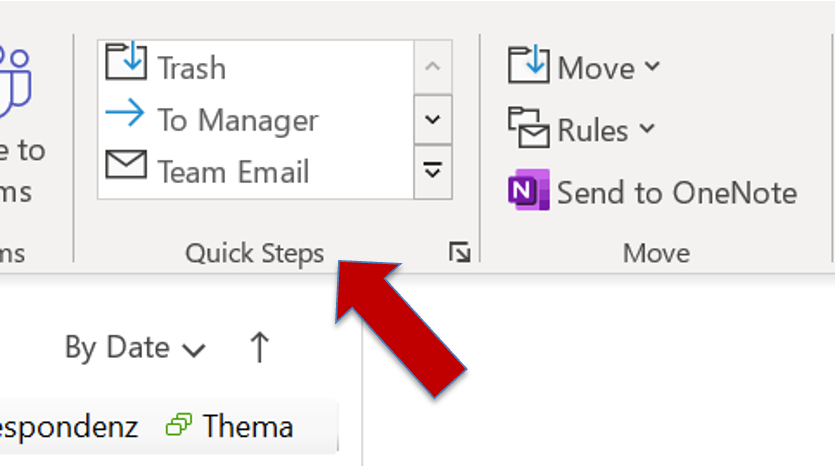
**Step 3:**You will find in the Quick Steps Groupthe reply template quick step. Alternatively, you may also have defined a keyboard shortcut for this action previously.
**Step 4:**Adapt and change your email as needed and select sendas usual.
I hope this article was helpful to you. If you want to learn more about what options you have with regard to Outlook templates in Outlook, read*the following article.*Moreover, you are welcome to leave questions and your personal experience with Outlook Message Templates in the comment section!
See you soon!
Aline & the Lookeen team