How to Turn Off the Outlook Anti-Virus Integration
Reasons Why You Might Want to Turn Off Your Outlook Anti-Virus Integration
The anti-virus plugin may interfere with Outlook’s performance. If you encounter one or more of the following scenarios, it may be prudent to uninstall the plugin./solutions/outlook-search/outlook-search
Possible scenarios are:
- Lost attachments or mail
- Errors when sending/receiving emails
- Duplicated emails
- Larger fonts
- Visible HTML codes
- Messages stuck in outbox
- Issues with send/receive performance
How to Remove the Outlook Anti-Virus Plugin Step-by-Step
**Step 1:**Open Outlook, go to the “File” tab and then click “Options”.
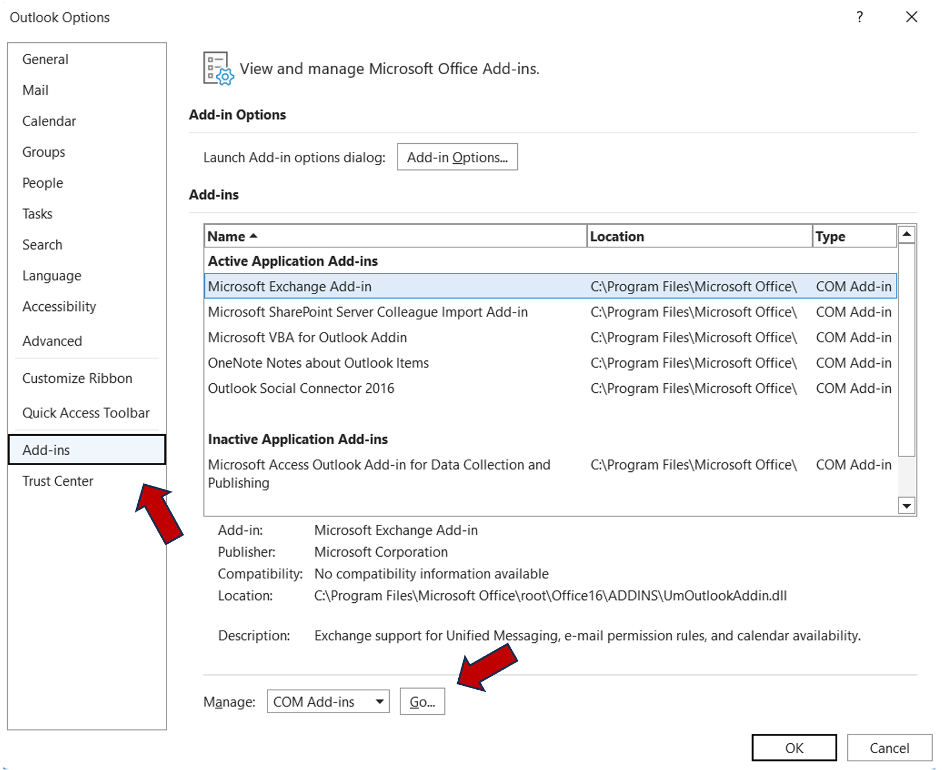
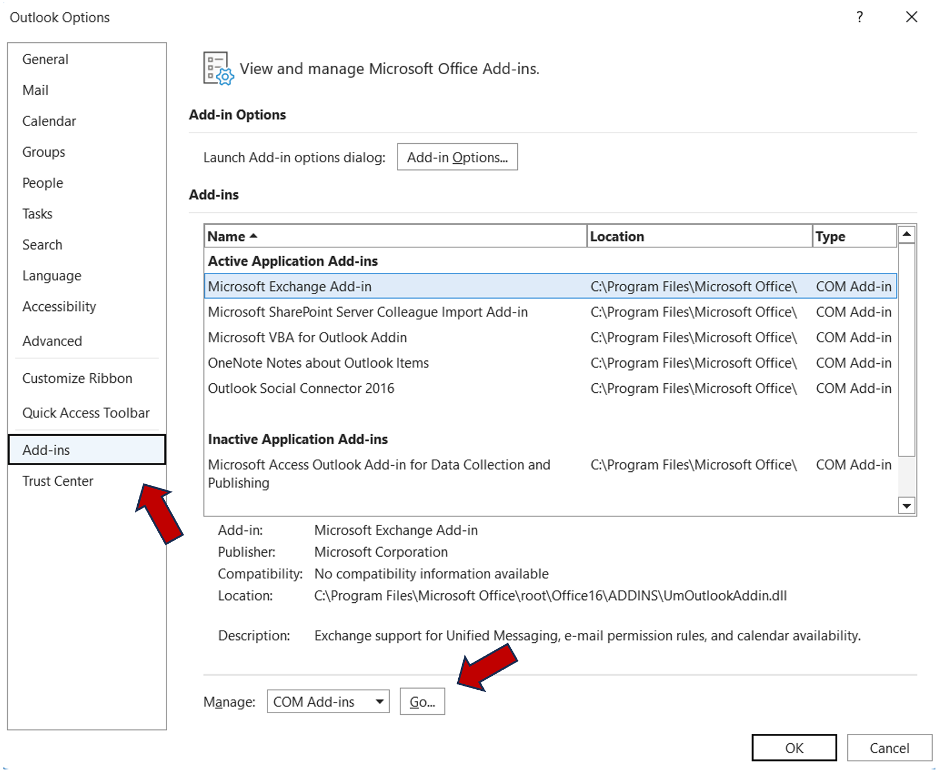
**Step 2:**Click “Add-ins”.
**Step 3:**Next to “Manage”, open the drop-down list.
**Step 4:**Click “COM Add-ins”, then click on the “Go…” button.
/wp-content/uploads/2023/07/pic-5.png/solutions/outlook-search/outlook-search
**Step 5:**Now select your anti-virus plugin, click “remove” and then “Ok”.
**Step 6:**Finally, click “Send/Receive” and then “Update folder”.
Important Note:
When the anti-virus plugin is disabled, it is still safe to read email because email cannot infect your system on its own. However, unless you are certain that the attachment is from a legitimate source, you should avoid opening it without virus protection.
What’s your experience with the Outlook anti-virus plugin? Do you have any questions? Feel free to leave them in the comment section!
See you soon,
Aline & the Lookeen team