How to request calendar access in Outlook
Request access to Outlook calendar step-by-step instructions
**Step 1:**Open Outlook and navigate to the Calendar tab on the Navigation Pane.
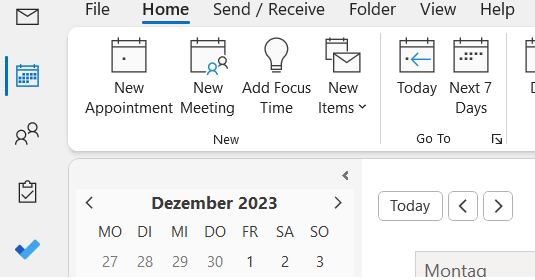
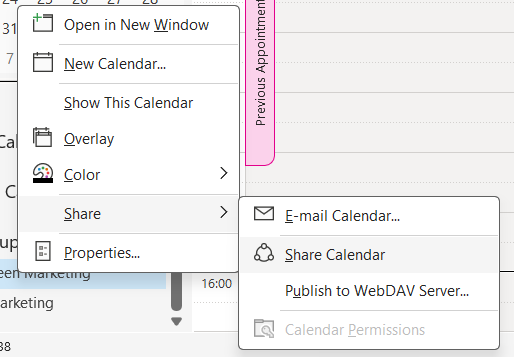
**Step 2:**Right-click on the calendar belonging to your exchange account. Select Share > Share Calendarfrom the drop-down menu.
**Step 3:**In the pop-up window “*Sharing request: Calendar – Share”,*enter the email address of the exchange user you’d like to ask for permission to access the calendar.
**Step 4:**Check the option below: “Request permission to view recipient’s Calendar”.
Note: You have the option to grant the receiver access to your own calendar by checking the box “Allow recipient to view your Calendar.”
**Step 5:**Compose the email and, finally, click the Sendbutton.
If the recipient accepts your request, you’ll receive an email with the permissions to access. Simply click Open this Calendarat the top of the email.
Do you share your calendar with many others? Let us know in the comment section!
See you soon,
Aline & the Lookeen team