How to View Calendar Permissions to see if your Outlook Calendar is Shared with Others
How to view Calendar Permissions in Outlook
**Step 1:**Open your Outlook and click on the calendar symbol on the top left ribbon. Then, scroll down to My Calendars.
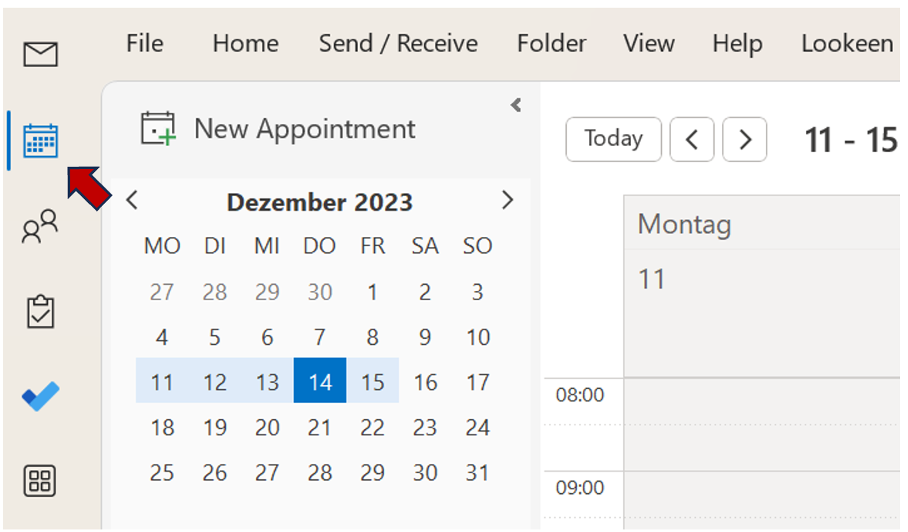
**Step 2:**Right-click the calendar you want to view the permissions of.
**Step 3:**Select Sharing Permissions.
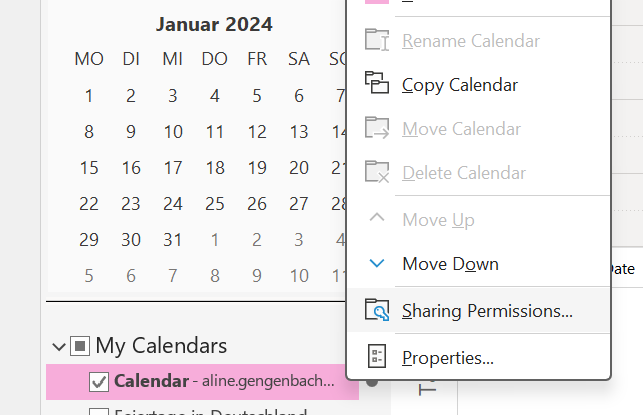
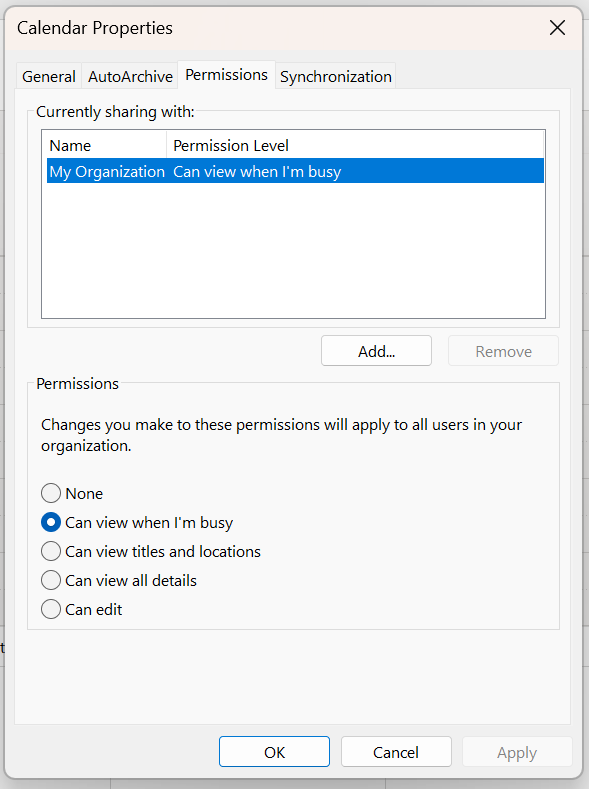
**Step 4:**In the Calendar Propertiesdialogue box, calendar permissions will be displayed on the Permissionstab.
Do you personally share calendars with others, and what is your experience with it? Let us know in the comment section!
See you soon,
Aline & the Lookeen team