How to Keep Recipient Addresses Private in Outlook: Undisclosed Recipients
Hide recipient contact information: Step-by-step
Learn how to make the Undisclosed Recipients contact here:
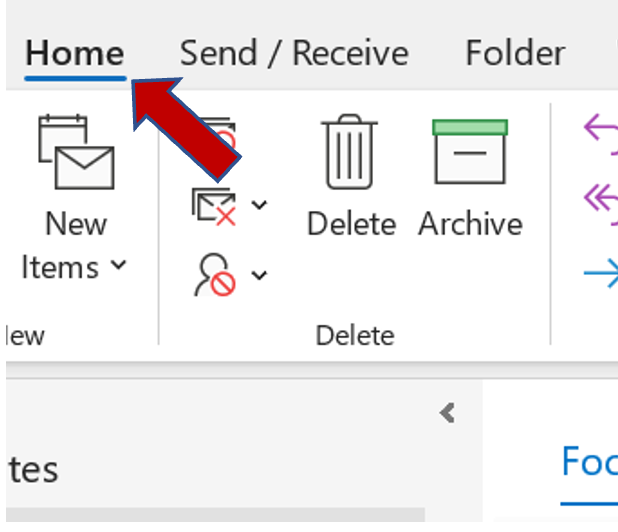
**Step 1:**Open Outlook and click on the “Home” tab.
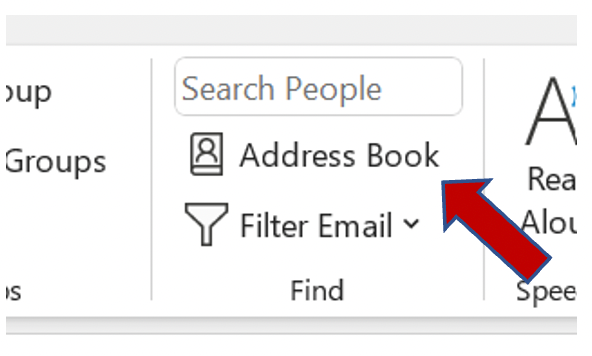
**Step 2:**In the “Find Group” section, select “Address Book”.
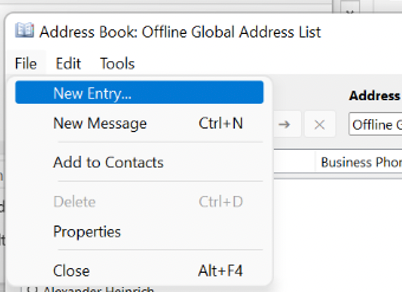
**Step 3:**Select “File”, then “New Entry”.
**Step 4:**In the opening dialog box, select “New Contact”.
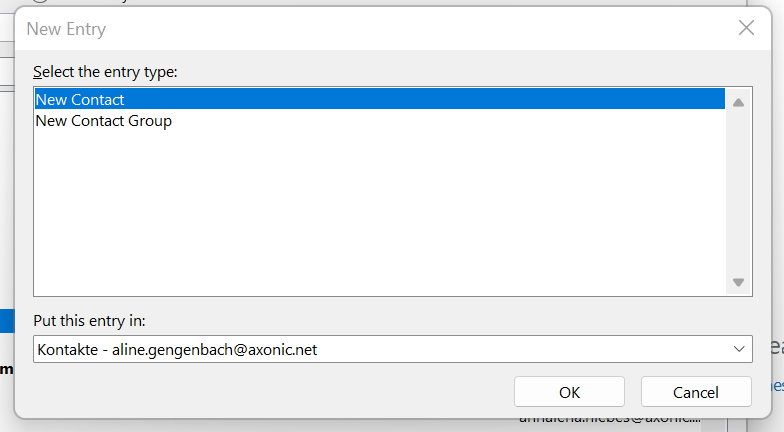
**Step 5:**Click “OK”.
**Step 6:**Now enter “Undisclosed Recipients” in the “Full Name” text box.
**Step 7:**Enter your own email address in the “Email” text box.
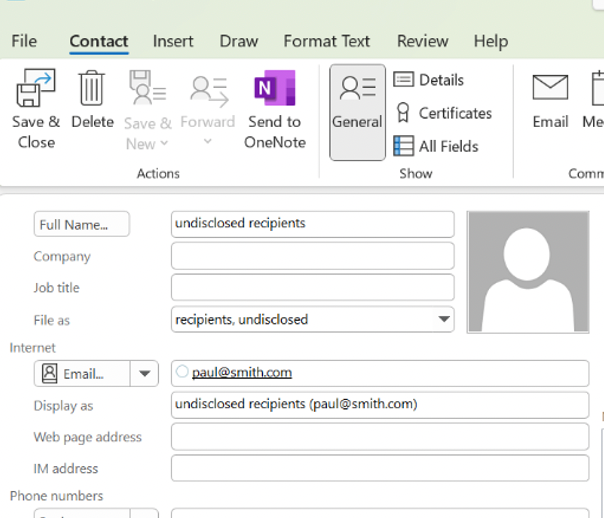
**Step 8:**Click “Save & Close”.
Learn how to use Bcc to hide recipients’ email addresses here:
After you’ve created the contact, Outlook provides an easy way to hide email addresses by using Bcc, or “blind carbon copy.”
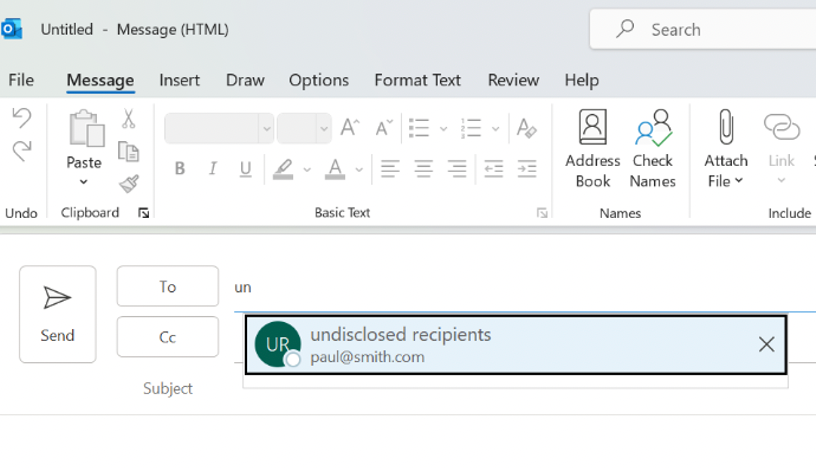
Step 1: Select the “Undisclosed Recipients” contact in the “To” field when creating a new email. Outlook will display a list of suggestions when you type a “u”.
Step 2: Then, click on the “Options” tab and select the Bcc field in the message header when drawing up an email.
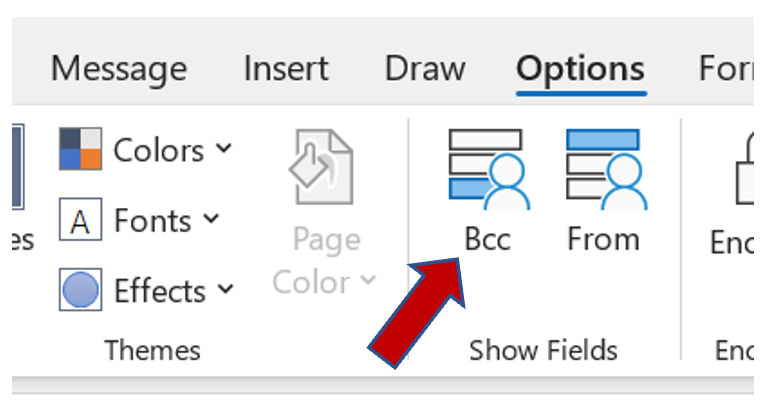
Step 3: Clicking on the Bcc button allows you to select names from your contact list. After selecting all the desired contacts, click “Ok”.
Do you have more must-do’s with regards to internet security? Feel free to leave your opinion in the comment section!
See you soon!
Aline & the Lookeen team