Skip to content  General How to Create an Email Signature in Outlook 2019 Think wisely of your font choice. As you want to appear professional, it’s a good idea to steer clear of any cursive or decorative font styles. The same…
 General How to Use Speak, the Text-to-Speech Feature for Outlook TTS is an obvious benefit for people with impaired vision. However, they’re not the only ones who can find value in this feature.
 General How to Create a Contact Group in Outlook 2013, 2016 & 2019 Formerly known as distribution lists, contact groups allow you to email multiple contacts at the same time. This feature is useful for when you are working in a…
 Outlook How to Use Focused Inbox in Outlook Focused Inbox is a feature that aims to help you focus on emails that are the most important to you. It does this by automatically sorting your emails…
 Outlook How to Recall an Email in Outlook 2016 Recalling an email in Outlook 2016 allows you to retrieve and replace an email that has already been sent. Here are the steps to do it:
 General How to Create an Email Signature in Outlook 2013 If you’ve been using Outlook 2013 for awhile, then you’re familiar with email signatures. As emails are still widely used and considered an important form communication, what goes…
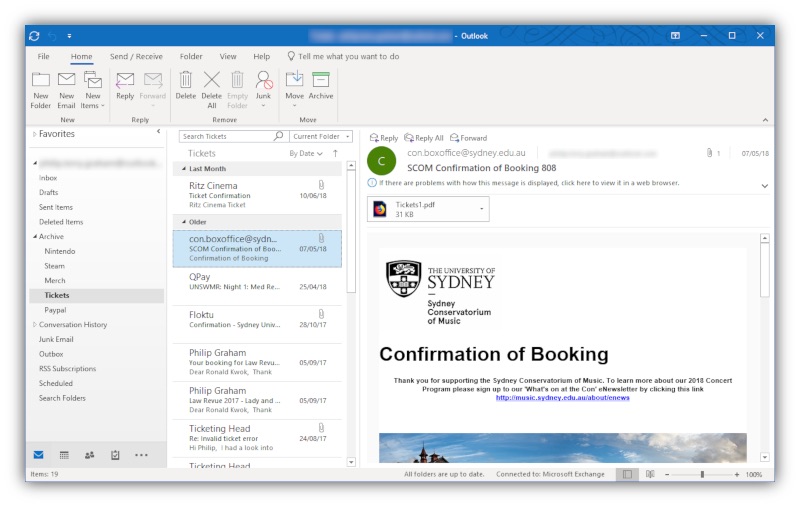 Business & Productivity What New Features to Expect in Outlook 2019 Although Outlook 2019 is a new release, it’s worth noting that some of the features may already be familiar to users subscribed to Office 365. Here’s what’s expected…
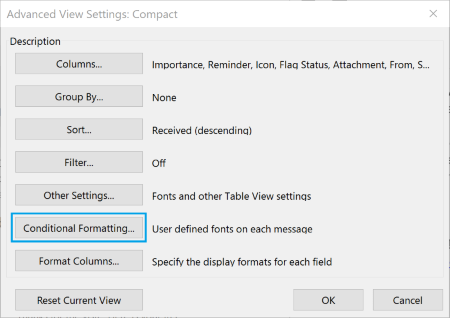 Outlook How To Color Code Emails in Outlook 2016 Conditional formatting is the feature that enables you to color code your emails. It will let you distinguish messages from one another by displaying emails in various forms…
 Industry Analysis Microsoft released an update and broke search. Again. At Lookeen we built the ability to search in preview, with the release of Lookeen 10. This allows our users to find what they’re looking for with fewer…

